

If you are a developer, your credentials are scattered across your filesystem. Let me guess where.
The Credential Mess
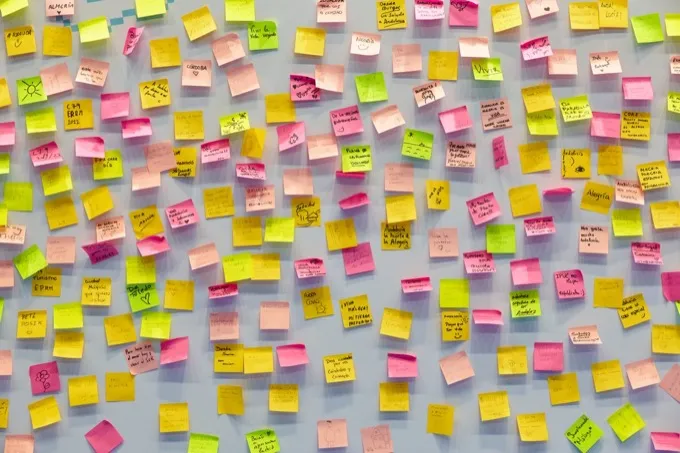
You have .env files in every project directory. Some are committed to Git (you know who you are). Some are in .gitignore but have no backup. Some are duplicated across .env.local, .env.development, and .env.production with subtle differences you discover only during a deployment.
You have API keys in 1Password — or Bitwarden, or LastPass — stored as "Login" entries with the key shoved into the password field and the service name guessed from the title. No context. No documentation. No way to know which project uses this key or what permissions it has.
You have SSH keys in ~/.ssh/ with names like id_rsa, id_ed25519, id_rsa_work, and id_rsa_old_do_not_use. Your ~/.ssh/config maps hosts to keys, but the context — which client this server belongs to, what it runs, who has access — lives in your head or a Notion page somewhere.
You have database connection strings in Slack DMs. Yes, you do. Someone sent you the staging credentials three months ago and you pinned the message. It is now buried under 400 other messages.
This is the developer credential mess. It is universal, and it has no dedicated tool.
How Claspt Solves It
The core idea is simple: one page per project or service, with markdown notes and encrypted secret blocks side by side.
Here is what a "Production Database" page looks like in Claspt. The top half is your documentation — plain markdown with headings, code blocks, and instructions. The bottom half contains encrypted credential blocks that you reveal with a click or biometric unlock.
# Production Database

## Connection Details

PostgreSQL 16 on AWS RDS (us-east-1).
Connection pool max: 20. Timeout: 30s.
**Always connect through the VPN first.**

:::secret[Database Credentials]
host:     prod-db.abc123.us-east-1.rds.amazonaws.com
port:     5432
database: app_production
user:     app_prod_user
password: xK9!mP2#vL5@nQ8
:::

## Connection String Format

```bash
DATABASE_URL=postgresql://USER:PASS@HOST:PORT/DB?sslmode=require
```

## Migration Notes

- Last migration: 2026-02-20 (added `user_preferences` table)
- Run migrations with: `npx prisma migrate deploy`
- Always take a snapshot before migrating production
Everything you need for this database is on one page. The credentials are encrypted at rest. The documentation is plaintext and searchable. When you need to deploy, you open one page, not three tools.
Features Developers Actually Care About
Claspt is not a consumer password manager with a developer skin. It is built for people who live in terminals and editors. Here is what matters:
- 50+ syntax languages. Your code blocks are highlighted properly. Python, Rust, Go, YAML, Dockerfile, Terraform, shell scripts — they all render correctly.
- Vim and Emacs keybindings. Toggle in settings. No plugins needed. Modal editing works across the entire editor.
- Git built-in. Every save is a commit. Every page has a full history. Diffs show what changed in your notes (plaintext) and flag that a secret block was modified (without revealing the contents).
- Sub-100ms search. A Rust-powered full-text index across your entire vault. Searches non-secret content, titles, and tags. Results appear as you type.
- Keyboard-first.
Cmd+K(orCtrl+K) opens the command palette.Cmd+Ncreates a new page.Cmd+Shift+Llocks the vault. Everything is reachable without a mouse. - JetBrains Mono. The default monospace font. Designed for code, with ligatures for
!=,==,=>, and->.
The 8 Templates
When you create a secret block, Claspt offers 8 templates. For developers, three are essential:
- API Key — fields for service name, key, secret, endpoint URL, rate limits. Use this for Stripe, AWS, OpenAI, Twilio, or any service with an API key.
- SSH Key — fields for host, user, private key path, passphrase. Use this alongside your
~/.ssh/configdocumentation. - Custom — define your own fields. Use this for database credentials, Docker registry logins, CI/CD tokens, or anything that does not fit the other templates.
The remaining five templates (Website Login, Credit Card, Bank Account, Wi-Fi, Identity Document) cover personal credentials, but the developer-focused templates are what make Claspt different from a password manager.
Portable .md Files
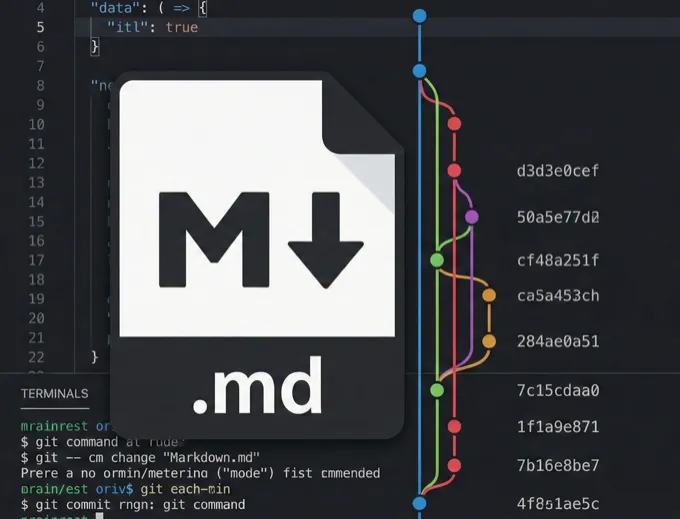
Every Claspt page is a standard markdown file on your local filesystem. This means:
- Read anywhere. Open your vault in VS Code, Vim, or
cat. The markdown renders normally. Secret blocks appear asenc:v1:<base64>strings — opaque but harmless. - Version control. Your vault is a Git repo. Diffs are meaningful because non-secret content is plaintext. You can see that you updated the migration notes or added a new section.
- No proprietary format. If Claspt goes away, you keep your notes. The encrypted blocks require your master key to decrypt, but all your documentation, instructions, and project context is readable in any text editor.
- Sync with anything. iCloud, Dropbox, Syncthing, a Git remote, an external drive. Your vault is a folder. Sync it however you want.
~5 MB Binary
Claspt is built with Tauri (Rust + native WebView), not Electron. The numbers:
- Download size: ~5 MB (vs. ~200 MB for Electron apps)
- Startup time: under 500 ms (vs. 2–5 seconds for Electron)
- RAM usage: ~80 MB (vs. 300+ MB for Electron)
This is because Tauri uses the operating system's native WebView instead of bundling an entire Chromium browser. Less bloat, less memory, faster startup. The encryption, search indexing, file I/O, and Git operations all run in compiled Rust — not interpreted JavaScript.
Your Secrets Deserve Better Than a .env File
A .env file is a plaintext file with no context, no history, no encryption, and no backup strategy. It is the worst possible place to store a credential. It exists because no one built a better alternative for developers who need credentials alongside documentation.
Claspt is that alternative. One page per project. Markdown for context. Encrypted blocks for secrets. Git for history. Keyboard for speed.
Try Claspt Free
Free on desktop. No account required. Your first vault takes 30 seconds to create.
Download Free